

信号和槽#
当我们需要一个界面通知另一个界面时,可以采用信号和槽机制。通过链接信号和槽,当一个界面发送信号时,链接该信号的槽会被响应,从而达到消息传递的目的。
我们先创建两个界面并为两个界面添加一个按钮,通过按钮的点击来实现界面的切换
主界面
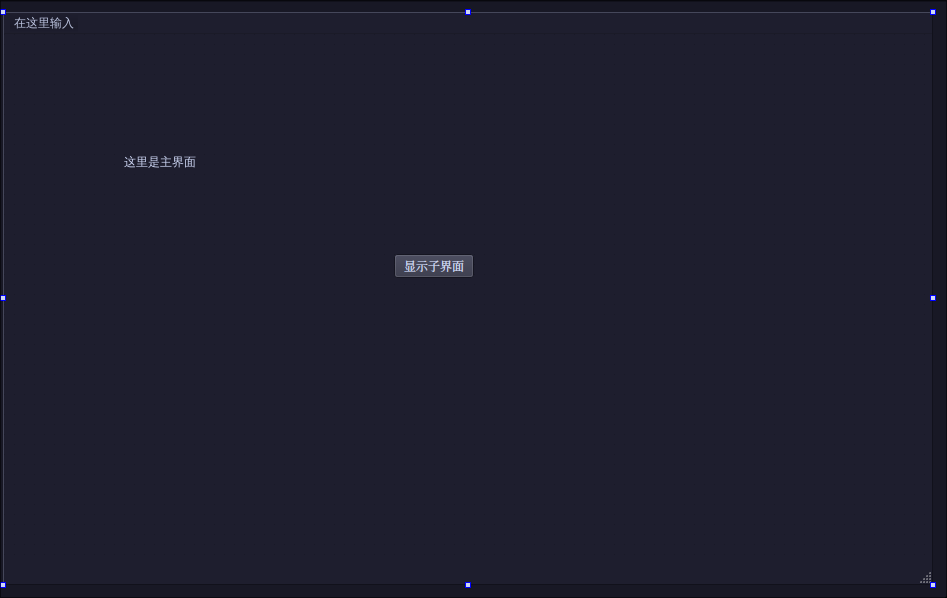
先实现主界面的点击按钮功能,并在终端打印一条信息"show child dialog"
现在MainWindow的构造函数中添加信号和槽的逻辑连接
connect(ui->showChildButton, SIGNAL(clicked()), this, SLOT(showChildDialog()));然后在MainWindow的头文件中添加槽函数,槽函数需要slots声明
public slots:
    void showChildDialog();
接下来实现该函数
void MainWindow::showChildDialog() {
    qDebug() << "show child dialog" << endl;
}
子界面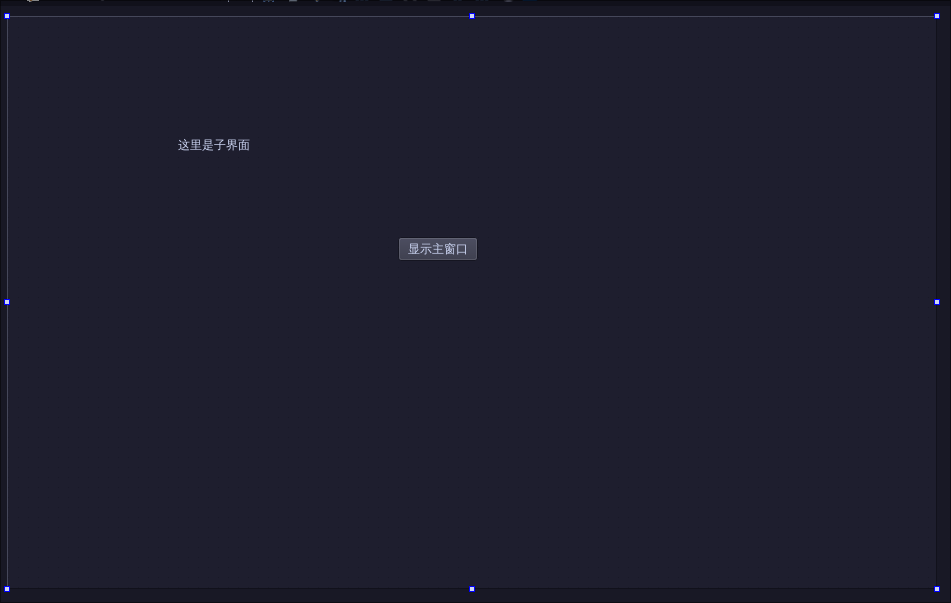
不同的连接方式#
上面我们使用的是qt4的连接方式,用SIGNAL和SLOT将信号和槽转化为字符串。但是这种方式存在一个问题,qt要求槽函数的参数不能超过信号定义的参数,比如我们用到的信号clicked(bool)参数就是bool,我们定义的槽函数showChildDialog()参数是不带参数的,可以连接成功,如果我们在连接的时候将showChildDialog()的参数写成三个,也可以连接成功
 // qt4 style 连接信号和槽
 connect(ui->showChildButton, SIGNAL(clicked(bool)), SLOT(showChildDialog(1, 2, 3)));
但是点击会没有反应,说明qt4 这种连接信号和槽的方式不做编译检查,只是将信号和槽函数转译成字符串。
推荐qt5的连接方式
connect(_child_dialog, &ChildDialog::showMainSig, this, &MainWindow::showMainDialog);
connect(_child_dialog, &ChildDialog::showMainSig, this, [this]() {
    this->_child_dialog->hide();
    this->show();
});实现界面切换#
在MainWindow类中,加入一个子界面类的指针,方便访问
class MainWindow : public QMainWindow
{
    Q_OBJECT

public:
    MainWindow(QWidget *parent = nullptr);
    ~MainWindow();
public slots:
    void showChildDialog();
    void showMainDialog();

private:
    Ui::MainWindow *ui;
    ChildDialog *_child_dialog;
};
然后改写槽函数,当单击按钮时弹出对话框
void MainWindow::showChildDialog()
{
    _child_dialog->show();
    this->hide();
}
这么做有一个问题就是可能会重复创建子窗口,但是Qt的对象树机制会保证父窗口回收时才回收子窗口,所以关闭子窗口只是隐藏了。 那么随着点击,久而久之窗口会越来越多。 我们想到的一个避免重复创建的办法就是在MainWindow的构造函数里创建好子界面,在槽函数中只控制子界面的显示即可。 但同时要注意在MainWindow的析构函数里回收子界面类对象。
MainWindow::MainWindow(QWidget *parent)
    : QMainWindow(parent)
    , ui(new Ui::MainWindow)
{
    ui->setupUi(this);
    _child_dialog = new ChildDialog(this);
    // qt4 style 连接信号和槽
    // connect(ui->showChildButton, SIGNAL(clicked(bool)), SLOT(showChildDialog()));
    // qt5 style(recommend)
    connect(ui->showChildButton, &QPushButton::clicked, this, &MainWindow::showChildDialog);
    // connect(_child_dialog, &ChildDialog::showMainSig, this, &MainWindow::showMainDialog);
    connect(_child_dialog, &ChildDialog::showMainSig, this, [this]() {
        this->_child_dialog->hide();
        this->show();
    });
}

MainWindow::~MainWindow()
{
    delete ui;
    if (_child_dialog != nullptr) {
        delete _child_dialog;
        _child_dialog = nullptr;
    }
}
这样我们频繁点击显示子界面按钮就不会重复创建窗口了。
那接下来实现点击主界面的按钮,显示子界面,并隐藏主窗口。
实现点击子界面的按钮,显示主窗口,并隐藏子界面。
先实现点击子界面按钮显示主窗口,我们可以在ChildDialog类修改下构造函数,使其接受一个QWidget指针,这个指针指向父窗口也就是MainWindow.
我们新增成员_parent用来存储MainWindow。
新增槽函数showMainWindow用来显示主窗口。
class ChildDialog : public QDialog
{
    Q_OBJECT
signals:
    void showMainSig();

public:
    explicit ChildDialog(QWidget *parent = nullptr);
    ~ChildDialog();
    void showMainWindow();

private:
    Ui::ChildDialog *ui;
    QWidget *_parent;
};
实现槽函数
void ChildDialog::showMainWindow()
{
    this->hide();
    emit showMainSig(); //发出信号
}
在MainWindow连接这个信号
MainWindow::MainWindow(QWidget *parent)
    : QMainWindow(parent)
    , ui(new Ui::MainWindow)
{
    ui->setupUi(this);
    _child_dialog = new ChildDialog(this);
    // qt4 style 连接信号和槽
    // connect(ui->showChildButton, SIGNAL(clicked(bool)), SLOT(showChildDialog()));
    // qt5 style(recommend)
    connect(ui->showChildButton, &QPushButton::clicked, this, &MainWindow::showChildDialog);
    // connect(_child_dialog, &ChildDialog::showMainSig, this, &MainWindow::showMainDialog);
    connect(_child_dialog, &ChildDialog::showMainSig, this, [this]() {
        this->_child_dialog->hide();
        this->show();
    });
}连接信号#
上面的程序还可以进一步优化,因为Qt提供了信号连接信号的方式,也就是说我们可以把子界面的按钮点击信号和showMainSig信号连接起来。
ChildDialog::ChildDialog(QWidget *parent)
    : QDialog(parent)
    , ui(new Ui::ChildDialog)
    , _parent(parent)
{
    ui->setupUi(this);
    connect(ui->showMainWindow, &QPushButton::clicked, this, &ChildDialog::showMainSig);
}
将clicked和showMainSig两个信号连接起来,也可以实现消息的传递。